How to download Amazon product videos
Right-click a video on Amazon and you will see there is no “Save video” option. The fastest way is a browser extension that finds the video files on the page and saves the originals. It takes about a minute to set up.
 10 free videos a day · no account · 21 Amazon stores
Step by step
- 1Add AmazVids to Chrome or EdgeInstall AmazVids from the Chrome Web Store. It is free and needs no account. Edge, Brave and Opera can install it from the same page.
- 2Pin it next to the address barClick the puzzle icon in your browser’s toolbar, then the pin next to AmazVids, so it is always one click away.
- 3Open the Amazon product pageAny product page on any of the 21 Amazon stores: amazon.com, amazon.co.uk, amazon.de, amazon.sa, amazon.ae and more.
- 4Click the AmazVids iconYou see every video on the page: the seller’s product videos and the customer review videos, with their length.
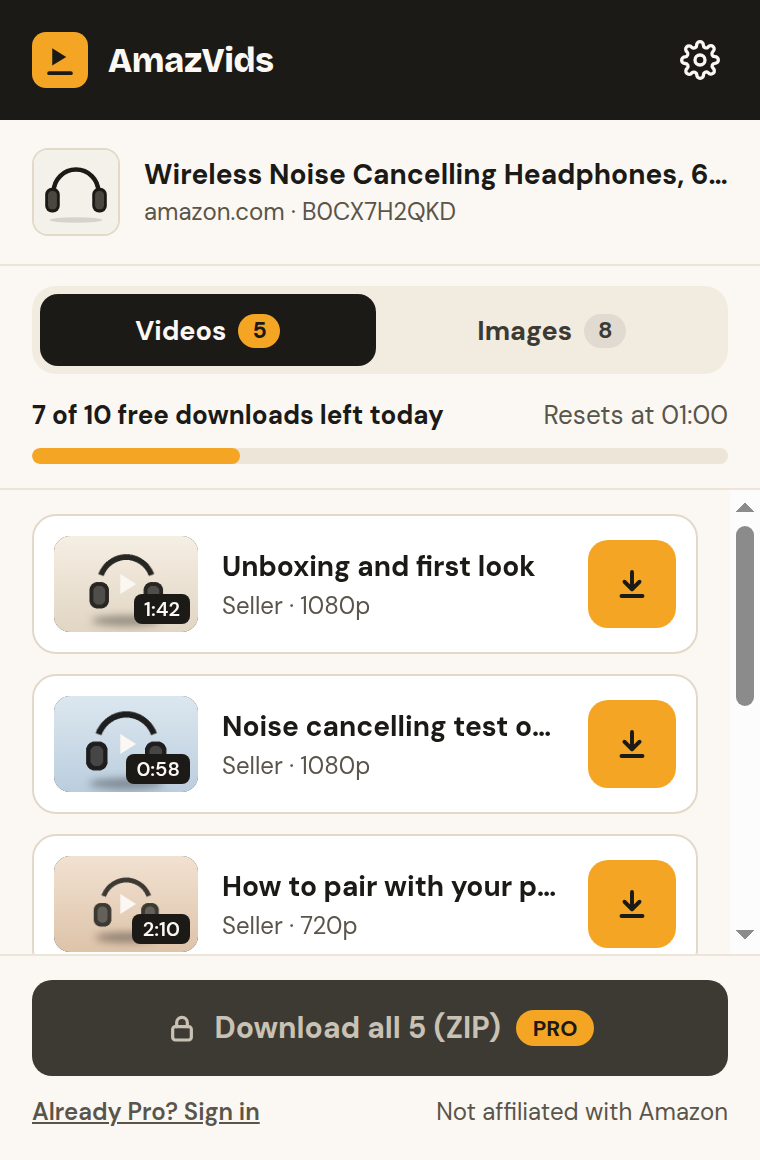
- 5Click SaveThe original MP4 goes to your Downloads folder, named after the product. No re-recording, so the quality is the one the seller uploaded.
Free or Pro?
The free version saves 10 videos a day, with no account and no card. The counter resets every night, and each friend you invite gives you both 5 more a day.
Pro ($4.99 a month or $29 a year) removes the limit and adds Save buttons right on the Amazon page, a one-click ZIP of every video or product image on a page, MP3 audio and a choice of quality.
Why not just screen-record it?
A screen recording plays the video in real time, re-compresses it and often catches your cursor or a pop-up. Saving the file is instant and keeps the original quality.
Use the videos fairly
Product videos belong to the seller, and review videos to the person who filmed them. Save them to study products, compare before you buy or keep references, not to republish them as your own.
Questions
+Is it free?
Yes. You can save 10 videos a day for free, with no account. Pro removes the limit.
+Does it work for Prime Video movies and shows?
No. AmazVids saves product and review videos on Amazon shopping pages. Prime Video is protected and not supported.
+Where do the videos go?
To your browser’s Downloads folder, as MP4 files named after the product.
+It says no videos were found. Why?
Some listings have no videos. If the page has some, scroll down once so Amazon loads them, or refresh the page and open AmazVids again.
+Is AmazVids made by Amazon?
No. It is an independent tool and is not affiliated with Amazon.
Ready to try it?
10 free videos a day · no account · 21 Amazon stores